In the daily use of ZStack, because the default monitoring data sampling time of the cloud platform is 10 seconds, and when the default monitoring data of the ZStack cloud platform is kept as the root directory of the management node, when the management node system hard disk capacity is small and monitoring data retention size and cycle is not set properly, a large amount of monitoring data may occupy the system hard disk capacity, affecting the normal use of the cloud platform. We need to properly clean up the monitoring data, how to properly clean up the ZStack management node monitoring data capacity?
Cloud Platform Environment: ZStack Enterprise 3.10.3.27
Network Environment: Flat Network
Primary Storage Environment: Local Storage
Mirror Server Environment: Mirror Warehouse
Physical Machine Operating System: ZStack Custom Centos7. 4
Cloud host operating systems: CentOS7, Windows 2008 R2
The default monitoring data of ZStack cloud platform is reserved as the root directory of management nodes. When the hard disk capacity of management node system is small and monitoring data retention size and cycle is not set reasonably, a large amount of monitoring data may occupy the system hard disk capacity, affecting the normal use of the cloud platform.
1. Current cloud platform and operating system versions.

(Figure 1 shows the cloud platform version)
2. Clean up monitoring data as follows. This document takes ZStack version 3.10.3 as an example (Note: Cleaning up monitoring data can make historical monitoring data invisible for cloud hosts, physical machines, etc.)
1) The ZStack cloud platform version is less than 3.1.0
Zstack-ctl Stop-node && Kill - 15 ` Ps - Ef|grep [t]ools/prometheus|awk ' {print $2} '` && Rm - Rf / Var/lib/ZStack/prometheus/data/ && Zstack-ctl Start-node2) The ZStack Cloud Platform version is higher than 3.1.0 and lower than 3.5.0
Systemctl Stop Prometheus. Service && Rm - Rf / Var/lib/ZStack/prometheus/data && Systemctl Start Prometheus. Service
3) The ZStack cloud platform version is higher than 3.5.0
Systemctl Stop Prometheus2. Service && Rm - Rf / Var/lib/ZStack/prometheus/data2 && Systemctl Start Prometheus2. Service

(Figure 2 Cleans up monitoring data)
3. Check data cleanup results, UI view no historical monitoring data
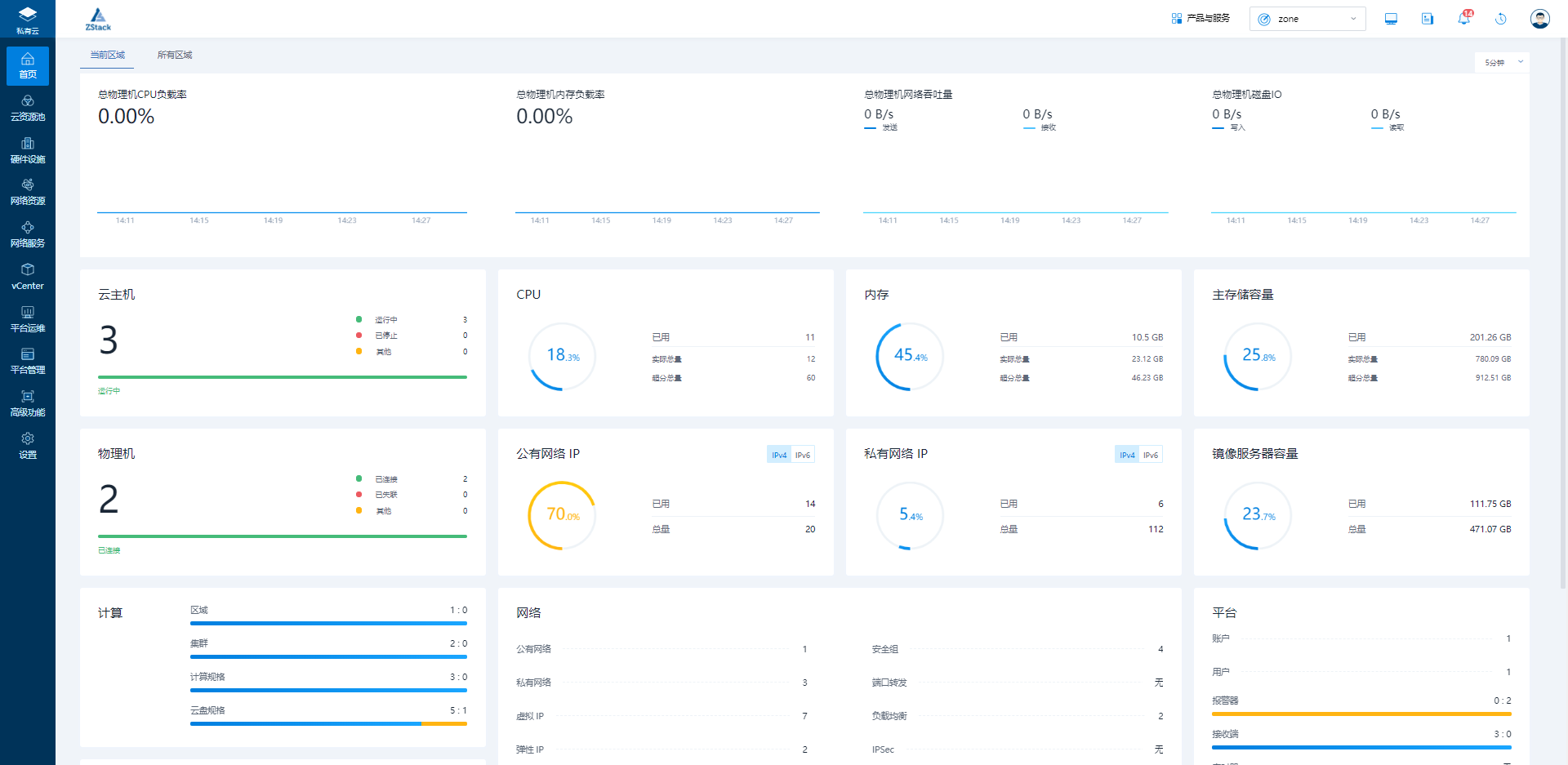
(Figure 3 Monitoring data cleaned up)
4. Modify global settings, adjust monitoring data retention, modify monitoring data retention period, monitoring data retention size, monitoring data sampling interval


(Fig. 4 Adjust global settings)








 沪公网安备 31011202014879号